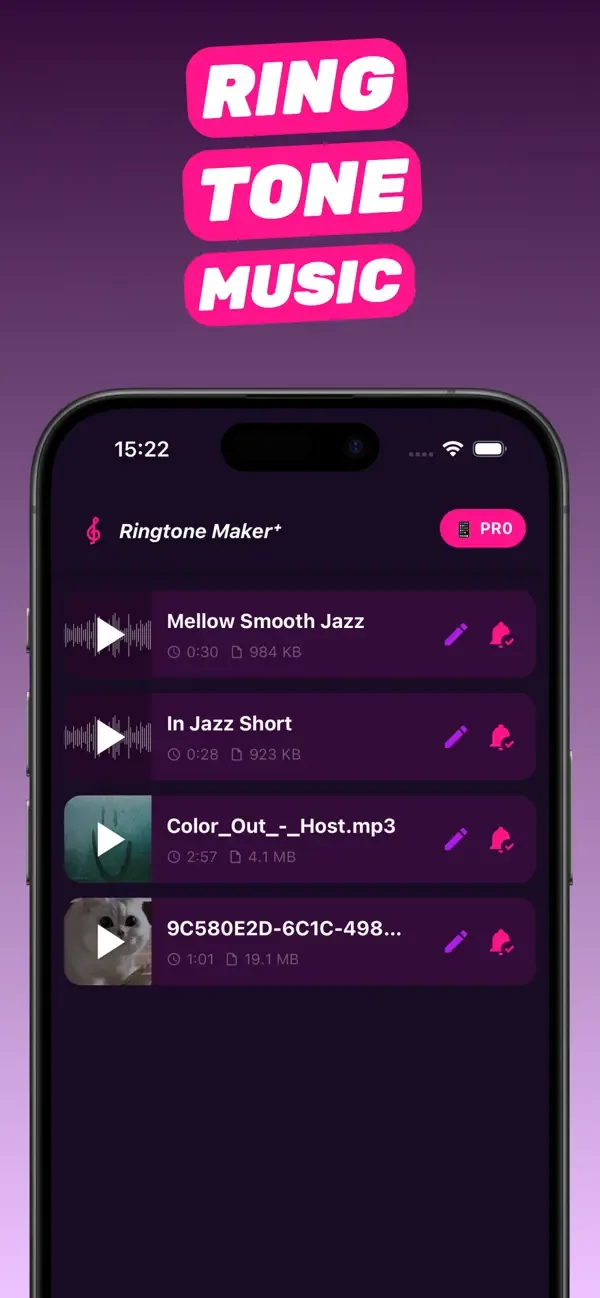
Guides · 10 step-by-step guides
iPhone ringtone guides
RingTon101 guides are step-by-step answers for making a custom iPhone ringtone, text tone or alarm from a song, video, MP3 or voice memo — on the phone, without iTunes.
01
Song → ringtone
How to make a song your ringtone on iPhone
The full on-phone method: pick a track, trim the chorus, set it as your ringtone in under a minute. Read the guide 02 Choosing a toolFree ringtone maker for iPhone: what actually works
GarageBand vs. web converters vs. iOS 26 vs. a dedicated app — compared on the only thing that matters: does the tone end up in Settings? Read the guide 03 MP3 → iPhoneMP3 ringtone maker: convert any MP3 into an iPhone ringtone
Import the MP3 from Files, cut the best 30 seconds, and let the app handle the M4R conversion. Read the guide 04 Video → ringtoneHow to make a video a ringtone on iPhone
Save the clip to Photos, share it to the app, trim — the audio is extracted for you. Works for TikTok and Reels sounds. Read the guide 05 Text tonesCustom notification sound on iPhone
Make a 2–10 second clip from any audio, export it as a Text Tone, and use it for Messages, a contact, or the apps that allow it. Read the guide 06 AlarmsCustom alarm sound on iPhone from any song
No Apple Music subscription needed: make a 30-second tone, install it, and choose it in the Clock app. Read the guide 07 Voice memosTurn a voice memo into a ringtone
Your kid saying "Mom, phone!", a friend's laugh, a recorded riff — share it from Voice Memos, boost it, set it. Read the guide 08 GarageBandGarageBand ringtone maker, the easy way
GarageBand is the official exporter for custom tones. Skip its timeline: trim in RingTon101, then Share → Ringtone → Export. Read the guide 09 No computerCustom ringtone without iTunes or a computer
The whole job on the phone: import, trim, export, set. iTunes and Finder syncing are not involved at all. Read the guide 10 App walkthroughHow to use Ringtone Maker: full walkthrough
Every screen explained — import, sound library, trimmer, Boost Volume, export formats, projects — and what each option is for. Read the guide
Do it on your iPhone now
RingTon101 is free on the App Store. Import, trim, boost and set your tone in about a minute — no computer needed.
Download free
 Scan with your iPhone camera
Scan with your iPhone camera
- Free download
- Made for iPhone
- iOS 18.6+
- No account required