Voice memos
How to turn a voice memo into a ringtone on iPhone
A voice memo makes the most personal ringtone there is — a child's voice, a friend's catchphrase, a riff you hummed into the phone. Voice Memos can't install a tone by itself, and recordings are usually too quiet to ring properly, so the job is: share the memo to RingTon101, trim it, boost the volume and export. About two minutes, all on the phone.
Updated · Published
Voice Memos → tap the memo → … → Share → Ringtone Maker → trim (≤ 30 s for a ringtone, 2–5 s for a text tone) → raise Boost Volume → Ringtone → Download → GarageBand Share → Ringtone → Export.
Step 1: record it well
- Hold the phone about 15 cm from the mouth, in a quiet room — carpets and curtains beat tiled kitchens.
- Leave a second of silence before and after; it makes trimming easier.
- Do two or three takes in one recording and pick the best one in the trimmer.
- Voice Memos → Settings → Audio Quality → Lossless gives the cleanest source, especially if you'll boost it.
You can also use a recording someone sent you in Messages or WhatsApp: tap it, Share, Save to Files, and import from there.
Step 2: voice memo to ringtone in RingTon101
-
Share the memo into the app
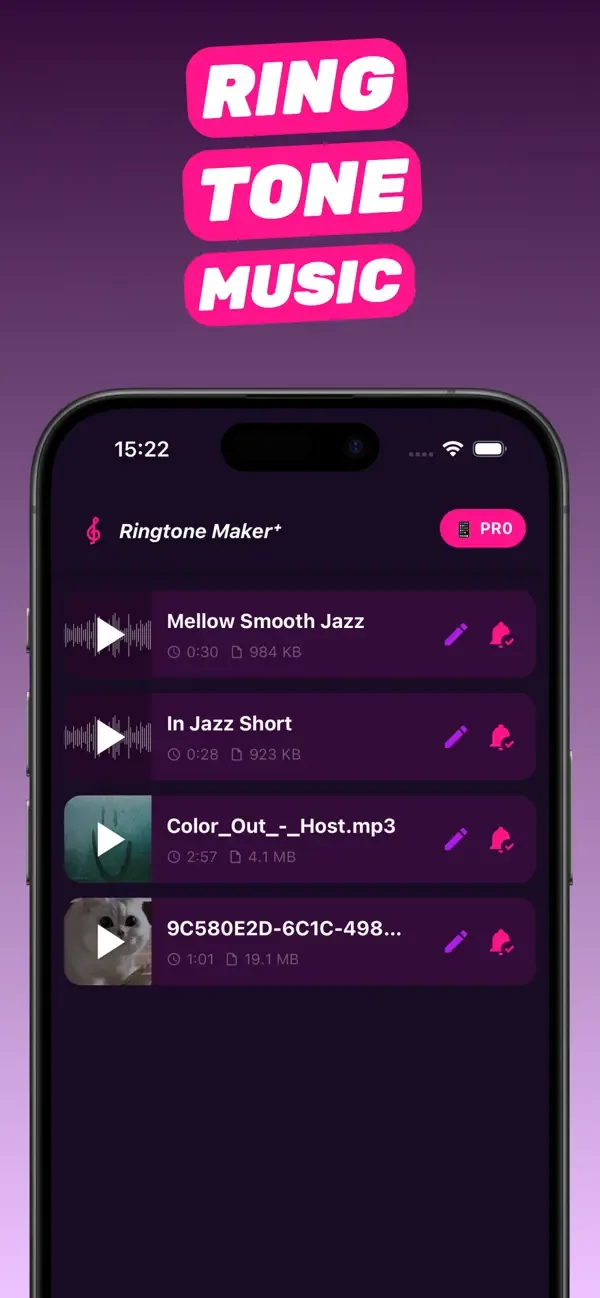
In Voice Memos, tap the recording, tap the … button, then Share and choose Ringtone Maker. (Or open RingTon101 → Import → Files → Voice Memos folder, if the memo is saved there.)
-
Trim to the phrase
Drag the handles tightly around the words or sound you want. Ringtone: up to 30 seconds. Text tone: 2–5 seconds is perfect. Tap play until the start is clean.
-
Boost — this is the important step
Voice recordings sit far below music volume. Raise Boost Volume to 3–7× and preview. If the room noise gets loud too, back off slightly or try the Improve quality toggle.
-
Fade the ends
Add a short fade-in and fade-out so the tone doesn't start or end on a click or breath.
-
Export and set
Tap Ringtone → Download. In GarageBand tap Share → Ringtone → Export and choose Standard Ringtone, Standard Text Tone, or Assign to contact — ideal if the voice belongs to the person calling.
Voice memo ringtone ideas
- Assign each family member's own voice to their contact ("It's Dad, pick up").
- A 3-second "ding" you make yourself — whistle, clap, a note on the piano — as a text tone.
- Your dog barking, saved as the tone for the vet's number.
- A guitar or piano riff recorded on the phone, boosted and looped as an alarm.
Troubleshooting
Ringtone Maker isn't in the Share sheet
Scroll to the end of the app row → More → enable Ringtone Maker. Or save the memo to Files and import it from inside the app.
Still too quiet after boosting
Re-record closer to the phone; boosting a very quiet source also raises hiss. Then check Settings → Sounds & Haptics → Ringtone and Alert Volume.
The memo is long and I only need a moment from the middle
Trim it roughly in Voice Memos first (Edit → Trim), then share the shorter version — the waveform will be easier to work with.
Questions people also ask
Can I set a voice memo as my ringtone on iPhone?
Yes. Share the memo to RingTon101, trim it, boost the volume and export it as a ringtone through GarageBand. It then appears in Settings → Sounds & Haptics.
Can I make a voice recording a text tone?
Yes. Trim it to 2–5 seconds and choose Standard Text Tone at the export step, or pick it later under Settings → Sounds & Haptics → Text Tone.
Why is my voice memo ringtone so quiet?
Recordings are captured at much lower levels than music. Use RingTon101's Boost Volume (up to 7×) before exporting.
Do I need GarageBand or a computer?
GarageBand (free) is used for the final three-tap export; no computer or iTunes is involved.
Can I use a recording someone sent me?
Yes. Save it to Files from Messages, WhatsApp or Mail and import it into RingTon101.

Do it on your iPhone now
RingTon101 is free on the App Store. Import, trim, boost and set your tone in about a minute — no computer needed.
 Scan with your iPhone camera
- Free download
- Made for iPhone
- iOS 18.6+
- No account required