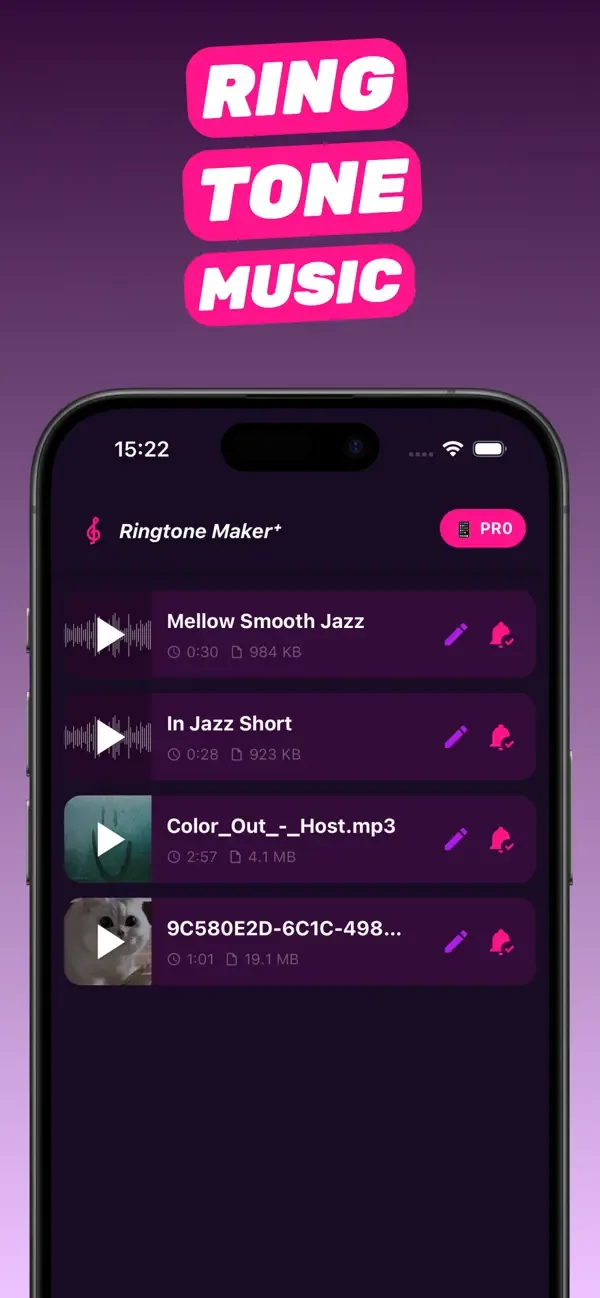
Text tones
How to set a custom notification sound on iPhone
iPhone lets you use custom tones for calls, texts and many alerts, but there's no built-in way to make one from your own audio. The fix is to create a short clip — 2 to 10 seconds is ideal — with RingTon101, export it as a Text Tone through GarageBand, and then choose it in Settings → Sounds & Haptics. Below: the steps, which iOS alerts can use custom sounds, and how to handle third-party apps like WhatsApp.
Updated · Published
Make a 2–10 s clip in RingTon101 → Ringtone → Download → in GarageBand Share → Ringtone → Export → Use sound as → Standard Text Tone. It now appears in Settings → Sounds & Haptics → Text Tone and under every alert type that lists tones.
Which iPhone alerts can use a custom sound
| Alert | Custom tone allowed? | Where to set it |
|---|---|---|
| Text / iMessage | Yes | Settings → Sounds & Haptics → Text Tone, or per contact |
| Ringtone (calls, FaceTime) | Yes | Settings → Sounds & Haptics → Ringtone |
| New Voicemail, New Mail, Sent Mail, Calendar, Reminders, AirDrop | Yes | Settings → Sounds & Haptics → each row |
| Alarm | Yes (ringtones list) | Clock → Alarm → Sound |
| Third-party apps (WhatsApp, Telegram, Slack…) | Depends on the app | Inside the app's notification settings; some list your custom tones, some use their own |
Custom tones you install show up in every tone list above, so you only need to create the clip once.
Step by step: make and set a custom text tone
-
Pick the sound
Open RingTon101 and import a song, a video from Photos, a voice memo, or something from the built-in sound library. Short, punchy sounds work best: a drum hit, a two-word catchphrase, the first bar of a chorus.
-
Trim it short
Drag the handles to a 2–10 second clip. Notification sounds longer than that talk over the next alert and get annoying fast. Preview it a few times — you'll hear this a lot.
-
Boost and fade
Raise Boost Volume so it's clearly audible from a pocket, and add a quick fade-out so it doesn't end with a click.
-
Export as Text Tone
Tap Ringtone → Download. In GarageBand tap Share → Ringtone → Export, then choose Use sound as → Standard Text Tone. (Choosing Standard Ringtone instead is fine too — the tone still appears in the Text Tone list.)
-
Assign it
Go to Settings → Sounds & Haptics → Text Tone and pick it. For one person only: Contacts → the person → Edit → Text Tone.
Custom notification sounds for specific apps
iOS doesn't let you choose a system-wide sound per app, but many apps have their own setting:
- WhatsApp: Settings → Notifications → Message Notifications → Sounds. It lists Apple's built-in tones and, on recent versions, custom ringtones you've installed.
- Telegram: Settings → Notifications and Sounds → Message Notifications → Sound → Upload sound — you can upload the trimmed clip directly (export it with the Song format from RingTon101 and save to Files).
- Mail, Calendar, Reminders, Voicemail: use the rows under Settings → Sounds & Haptics — all of them list your custom tones.
- Apps without a sound picker (most banking, social and news apps) use their own bundled sound; there's no way to change it.
Ideas for custom notification sounds
- The one-second stab from your favorite song's intro.
- A family member saying your name (record it in Voice Memos — see the voice memo guide).
- A game or movie sound effect from a clip you saved.
- Different tones for work and personal contacts so you know without looking.
Troubleshooting
The tone plays for calls but not texts
Assign it under Settings → Sounds & Haptics → Text Tone as well; the ringtone and text tone are separate settings.
The custom tone doesn't appear in WhatsApp
Update WhatsApp; older versions only show Apple's tones. Restarting the app after installing a new tone also helps.
It's too quiet when the phone is in my pocket
Re-export with a higher Boost Volume and check Settings → Sounds & Haptics → Ringtone and Alert Volume.
Questions people also ask
Can I use a custom sound for notifications on iPhone?
Yes. Install a short custom tone (through RingTon101 + GarageBand) and choose it under Settings → Sounds & Haptics → Text Tone, or under any other alert row.
How long should a notification sound be?
2 to 10 seconds. Anything longer overlaps the next alert.
Can I set a custom notification sound for one contact?
Yes. Contacts → the person → Edit → Text Tone (and Ringtone) → pick your custom tone.
Can I set a custom sound for WhatsApp or Telegram?
WhatsApp lists installed custom tones in its notification settings on recent versions; Telegram lets you upload a clip directly.
Do I need a computer?
No. Creating the clip, exporting it and assigning it all happen on the iPhone.

Do it on your iPhone now
RingTon101 is free on the App Store. Import, trim, boost and set your tone in about a minute — no computer needed.
 Scan with your iPhone camera
- Free download
- Made for iPhone
- iOS 18.6+
- No account required