Alarms
How to set a custom alarm sound on iPhone
The Clock app can use any installed ringtone as an alarm — which means any song, video or recording you turn into a ringtone with RingTon101 can wake you up. This is the free alternative to the "Pick a song" option, which only works with Apple Music tracks and a subscription. Here's how to make a wake-up tone that's loud enough, loops cleanly, and actually gets you out of bed.
Updated · Published
Make a 30 s clip in RingTon101 → Ringtone → Download → GarageBand Share → Ringtone → Export → Standard Ringtone. Then Clock → Alarm → Edit → Sound and pick it from the Ringtones list. The clip loops until you stop the alarm.
"Pick a song" vs. a custom tone
In Clock → Alarm → Sound, the Pick a song option only shows tracks from Apple Music or songs synced through the Music app. If you have an MP3, a downloaded song, a voice recording or a video clip, that option can't use it — and if you don't subscribe to Apple Music, it's mostly empty. A custom ringtone sidesteps all of that: it's a file installed on the phone, so it works offline, without a subscription, and it's listed under Ringtones in the same menu.
| Pick a song (Apple Music) | Custom tone (RingTon101) | |
|---|---|---|
| Needs a subscription | Yes, for streamed songs | No |
| Works with MP3 / video / voice memo | No | Yes |
| Plays the exact part you chose | Starts from the beginning | Yes — you pick the 30 s |
| Volume boost | No | Up to 7× |
| Works offline / in Airplane mode | Only if downloaded | Always |
Step by step: song to alarm
-
Choose the wake-up sound
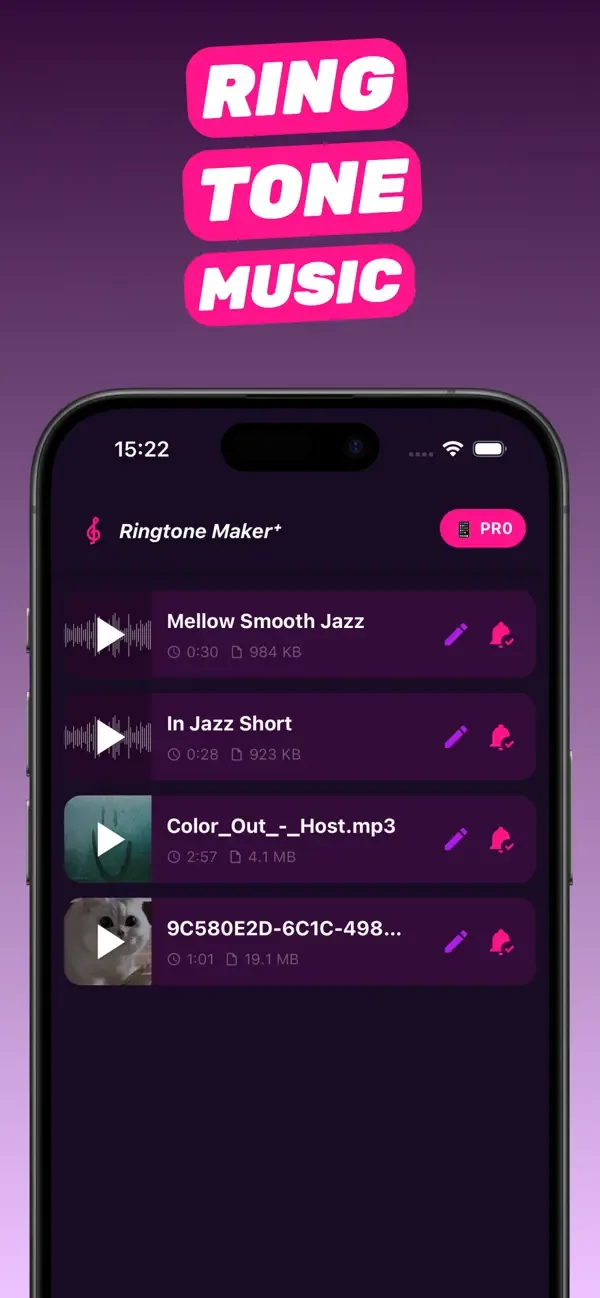
Open RingTon101 and import the song, video or recording. Upbeat songs with a clear beat make better alarms than slow intros — you're going to hear it half asleep.
-
Trim 30 seconds that loop well
Drag the handles to the most energetic 30 seconds. Alarms repeat the tone until dismissed, so end the selection at the end of a phrase, not mid-word, and add a short fade so the loop point isn't a click.
-
Boost the volume
Set Boost Volume higher than you would for a ringtone — 3× or more. The alarm volume also follows Settings → Sounds & Haptics → Ringtone and Alert Volume.
-
Export and install
Tap Ringtone → Download, then in GarageBand Share → Ringtone → Export → Standard Ringtone.
-
Set it in Clock
Open Clock → Alarm, tap an alarm (or +), tap Sound, scroll to Ringtones and choose your tone. It appears at the top of the list.
Making an alarm that actually wakes you
- Start loud. Skip quiet intros; begin on the drop or the chorus.
- Loop-friendly ending. Because the alarm repeats, cut at the end of a bar so the restart feels natural.
- Two alarms, two tones. A gentle tone at 6:50, your loudest cut at 7:00.
- Check silent mode. Alarms play even with the Ring/Silent switch on silent, but Focus modes can quiet notifications — alarms still fire.
- Sleep schedule alarms (Health → Sleep) use the same Ringtones list, so your custom tone works there too.
Troubleshooting
My tone isn't listed under Sound
Scroll down — custom tones sit under the Ringtones header, above Apple's built-in ones. If it's missing entirely, the GarageBand export didn't complete or the clip was over 30 seconds.
The alarm is quieter than the preview
Alarm volume is set by Ringtone and Alert Volume in Settings → Sounds & Haptics (and "Change with Buttons" if enabled). Turn that up, and re-export with a higher Boost if needed.
It plays once and stops
That's the snooze/stop behavior — alarms loop until dismissed or for about 15 minutes. If it stops immediately, check that the alarm's Sound isn't set to None.
Questions people also ask
Can I set a song as my alarm on iPhone without Apple Music?
Yes. Turn the song into a custom ringtone with RingTon101 and choose it under Clock → Alarm → Sound → Ringtones. No subscription required.
How long can an alarm sound be?
Alarms use ringtones, so the clip is up to 30 seconds and loops until you stop it.
Can I use a voice recording or a video as an alarm?
Yes. Import the voice memo or video into RingTon101, trim it and export as a ringtone; it then appears in the alarm sound list.
Why can't I pick my MP3 in the Clock app?
Pick a song only reads the Music app / Apple Music library. Files and MP3s aren't visible there — install the clip as a ringtone instead.
Does the custom alarm work in Do Not Disturb?
Yes. Alarms fire through Focus modes and silent mode.
Do it on your iPhone now
RingTon101 is free on the App Store. Import, trim, boost and set your tone in about a minute — no computer needed.
 Scan with your iPhone camera
- Free download
- Made for iPhone
- iOS 18.6+
- No account required