iPhone ringtone maker · Free on the App Store
Turn any song or video into your iPhone ringtone
RingTon101 is a ringtone maker app for iPhone: pick a track, a video or a voice memo, trim the best 20–30 seconds, boost the volume and set it as your ringtone, text tone or alarm. No computer, no iTunes, no cables.
Free download · Works offline after import
- Songs from your library
- Videos & TikTok clips
- Voice memos
- MP3, M4A, WAV, AAC
- 4.5★
- App Store rating
- 30 s
- from song to ringtone
- iOS 18.6+
- no computer or iTunes
Free download
The free ringtone maker for iPhone that actually sets the tone
Most "ringtone maker" websites hand you a file and leave you to figure out iTunes. RingTon101 runs on the phone and walks you to the finish line: your tone shows up in Settings → Sounds & Haptics.
- Free to start Download and make your first ringtones at no cost. Optional one-time upgrades unlock unlimited exports and extras — no subscription needed.
- iOS 18.6 or later Built for current iPhones and iOS 26. 48 MB, 29 languages, works offline once your media is on the phone.
- Your own media Import from Files, Photos (videos) and your on-device music library. Your audio never leaves the phone.
Screenshots
From "I love this song" to a ringtone in six taps
Real screens from the app — every step happens on your iPhone.
-
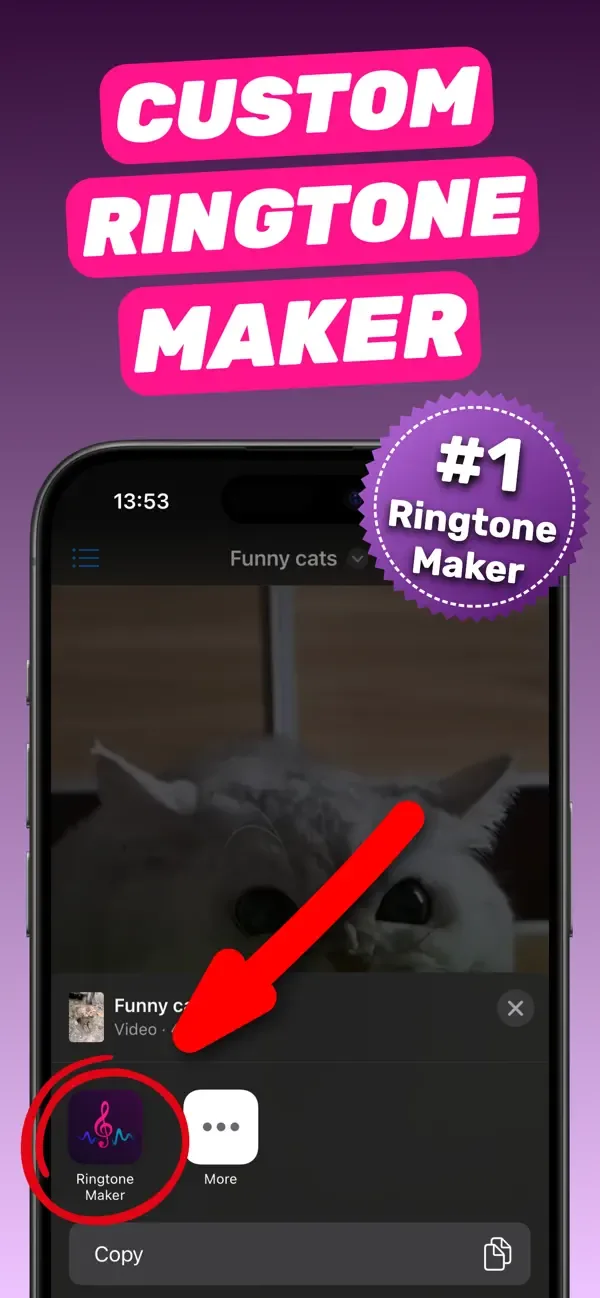
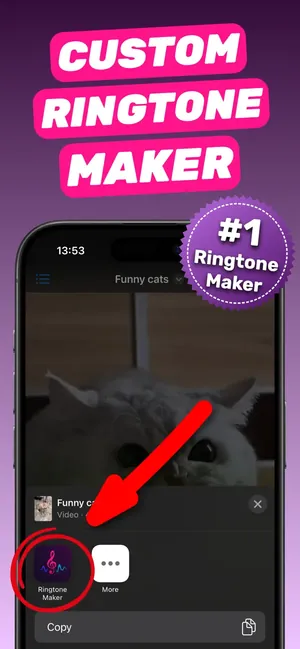
Share any video or song straight from Photos or Files -
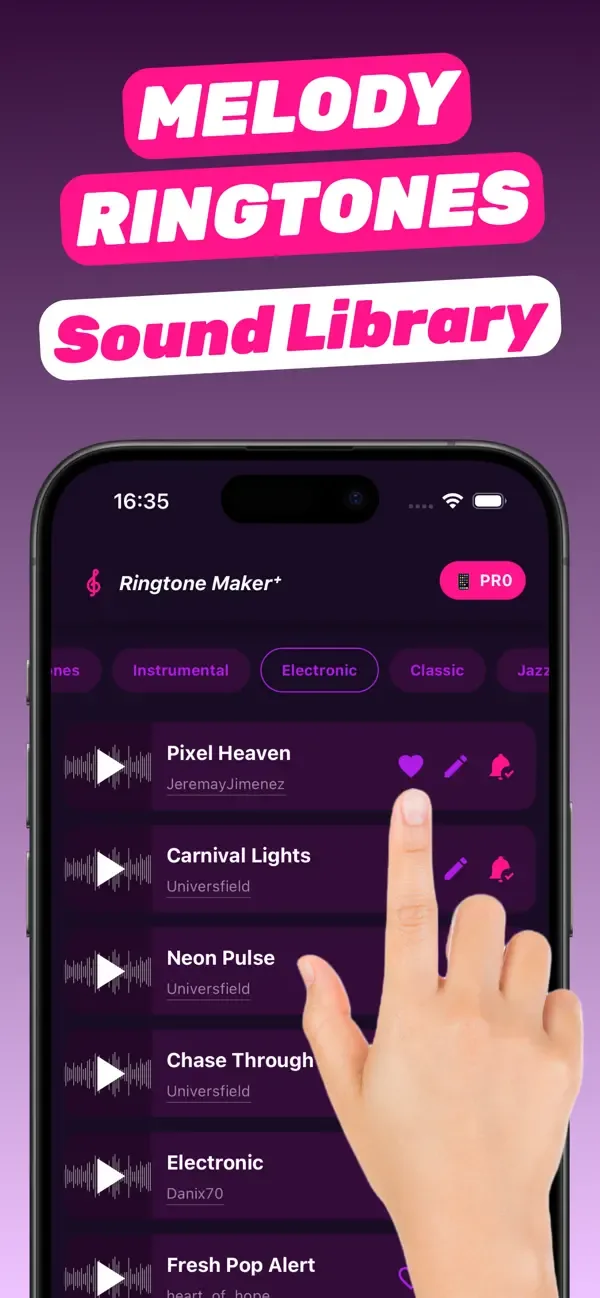
Or start from the built-in library of melody ringtones -
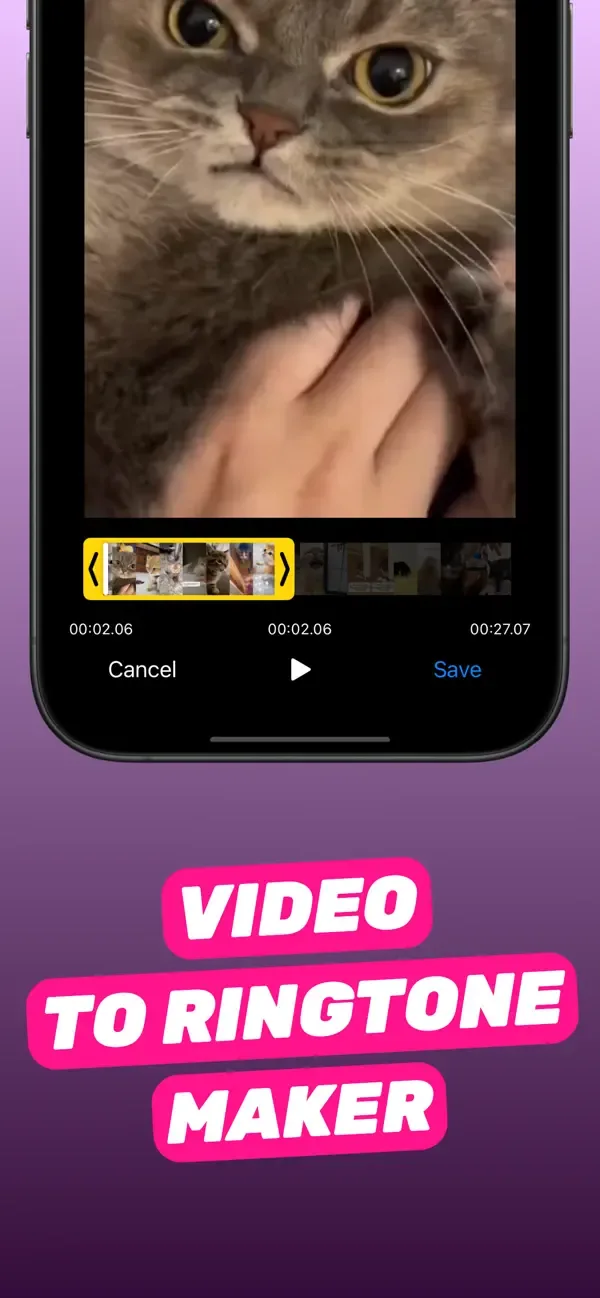
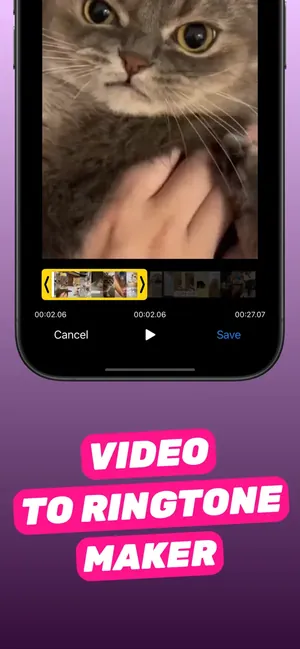
Drag the handles to pick the perfect 30 seconds -
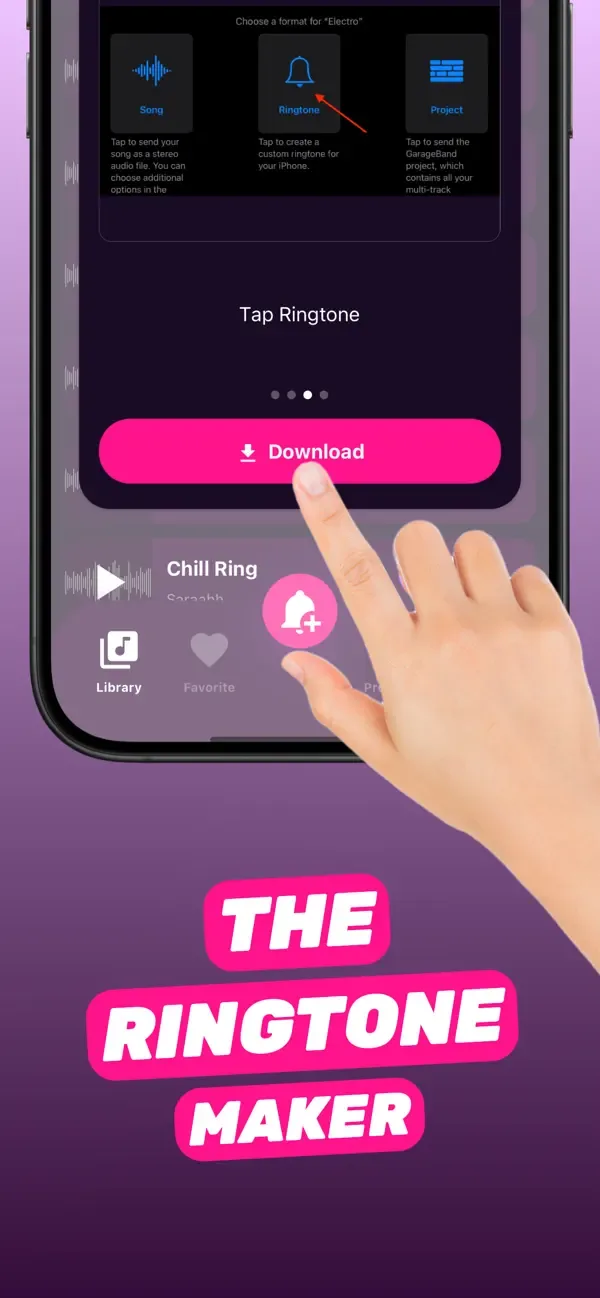
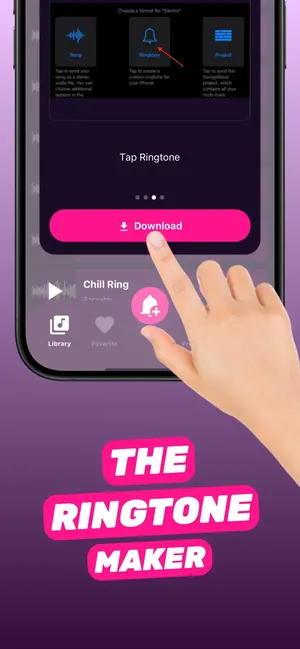
Tap Ringtone, then Download — the app formats it for iPhone -
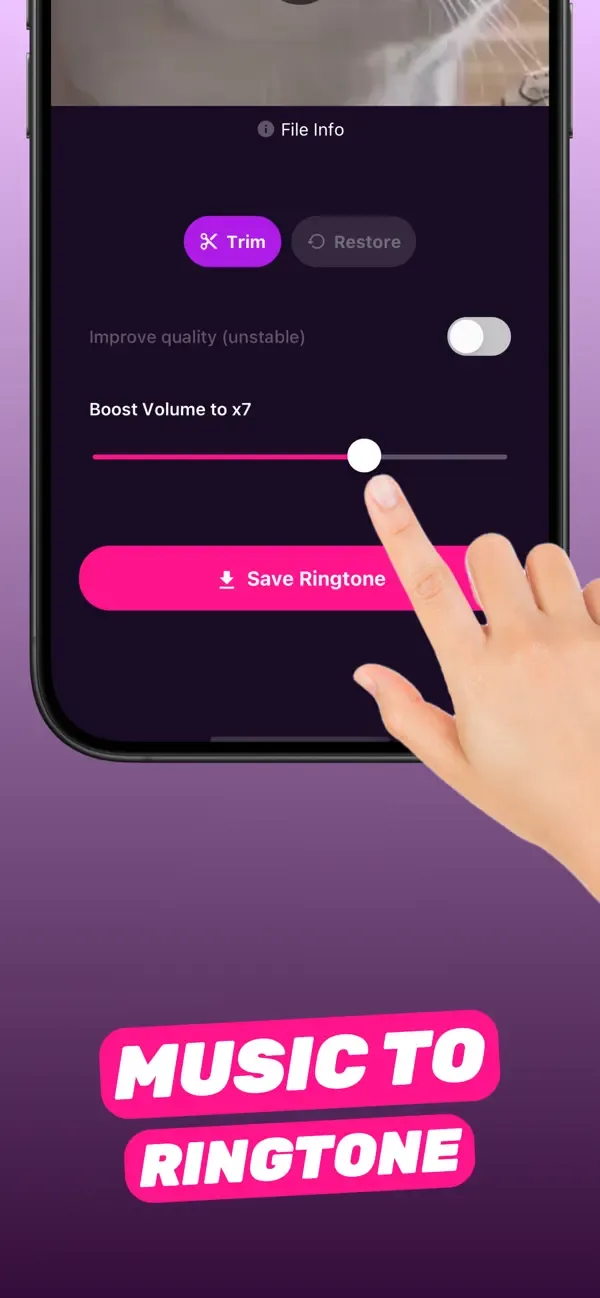
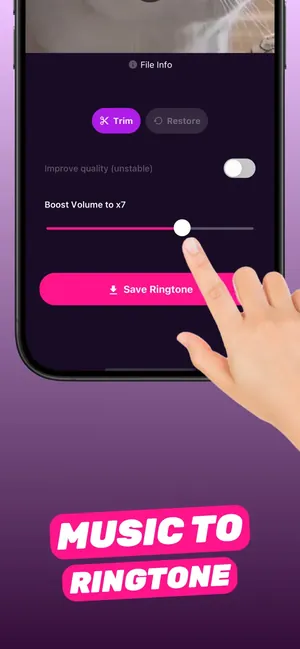
Boost quiet tracks up to 7× so you never miss a call -
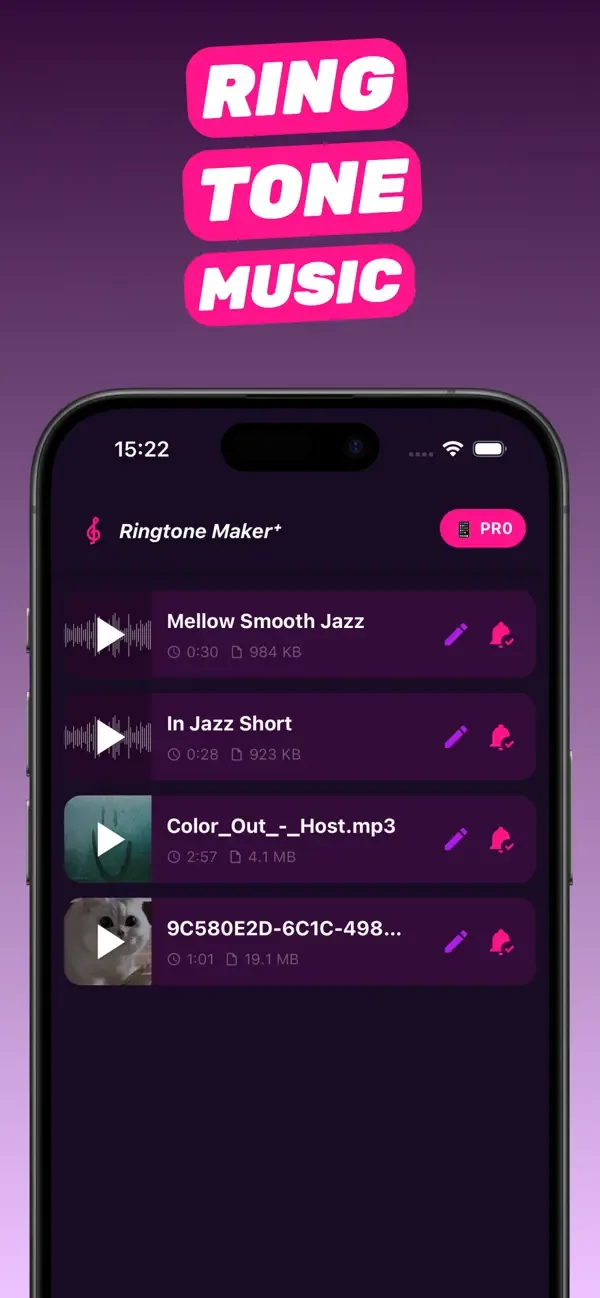
Every tone is saved as a project you can re-cut later
How it works
How to make a custom ringtone on iPhone
Four steps, about a minute. Works for ringtones, text tones and alarm sounds.
-
Pick a source
Open RingTon101 and choose a song from your library, a video from Photos, a voice memo or any audio file in Files. You can also share a clip straight into the app from the iOS share sheet.
-
Trim the best part
Drag the yellow handles on the waveform to select up to 30 seconds — the length Apple allows for ringtones. Preview until the drop lands exactly where you want it.
-
Boost and polish
Quiet recording? Slide Boost Volume up to 7×. Add fades so the tone starts and ends cleanly, then tap Save Ringtone.
-
Set it on your iPhone
Tap Ringtone → Download. The app hands the clip to GarageBand (free from Apple), where you tap Share → Ringtone → Export and choose Standard Ringtone, Text Tone or a contact. Done — it's now in Settings → Sounds & Haptics.
What you get
Everything a ringtone maker app should do
-
Song to ringtone
Any non-DRM track on your phone — purchased, downloaded or transferred — becomes a ringtone in seconds.
-
Video to ringtone
Pull the audio out of a video, TikTok clip or screen recording saved to Photos. No separate converter.
-
Text tones & alarms
Export shorter clips as notification sounds, or use a full 30-second cut as a custom alarm.
-
Volume boost up to 7×
Old recordings and phone videos are quiet. Boost them so your ringtone is loud enough to hear across the room.
-
Free sound library
Not sure what to use? Start from ready-made melody ringtones in electronic, classic, jazz and more.
-
Projects, not one-offs
Every ringtone stays as an editable project. Re-cut it, re-boost it, or set it for a different contact later.
Guides
Step-by-step ringtone guides
Searching for a specific thing? Each guide answers one question, then shows exactly how to do it with the app.
How to make a song your ringtone on iPhone
The full on-phone method: pick a track, trim the chorus, set it as your ringtone in under a minute. Read the guide 02 Choosing a toolFree ringtone maker for iPhone: what actually works
GarageBand vs. web converters vs. iOS 26 vs. a dedicated app — compared on the only thing that matters: does the tone end up in Settings? Read the guide 03 MP3 → iPhoneMP3 ringtone maker: convert any MP3 into an iPhone ringtone
Import the MP3 from Files, cut the best 30 seconds, and let the app handle the M4R conversion. Read the guide 04 Video → ringtoneHow to make a video a ringtone on iPhone
Save the clip to Photos, share it to the app, trim — the audio is extracted for you. Works for TikTok and Reels sounds. Read the guide 05 Text tonesCustom notification sound on iPhone
Make a 2–10 second clip from any audio, export it as a Text Tone, and use it for Messages, a contact, or the apps that allow it. Read the guide 06 AlarmsCustom alarm sound on iPhone from any song
No Apple Music subscription needed: make a 30-second tone, install it, and choose it in the Clock app. Read the guide 07 Voice memosTurn a voice memo into a ringtone
Your kid saying "Mom, phone!", a friend's laugh, a recorded riff — share it from Voice Memos, boost it, set it. Read the guide 08 GarageBandGarageBand ringtone maker, the easy way
GarageBand is the official exporter for custom tones. Skip its timeline: trim in RingTon101, then Share → Ringtone → Export. Read the guide 09 No computerCustom ringtone without iTunes or a computer
The whole job on the phone: import, trim, export, set. iTunes and Finder syncing are not involved at all. Read the guide 10 App walkthroughHow to use Ringtone Maker: full walkthrough
Every screen explained — import, sound library, trimmer, Boost Volume, export formats, projects — and what each option is for. Read the guideFAQ
Frequently asked questions
Short answers, with a full guide behind each one.
How do I make a song my ringtone on iPhone?
Open RingTon101, pick the song from your library or Files, trim up to 30 seconds, tap Ringtone → Download, then in GarageBand tap Share → Ringtone → Export and choose Standard Ringtone. The song appears under Settings → Sounds & Haptics → Ringtone.
Learn more →Can I make a ringtone from a video or a TikTok sound?
Yes. Save the video to Photos, share it to RingTon101 (or import it inside the app), and the audio track is extracted automatically. Trim it like any song and export.
Learn more →Is there a free ringtone maker for iPhone?
RingTon101 is free to download and make ringtones with. Optional one-time purchases add unlimited exports and extras — there is no subscription requirement.
Learn more →Can I use an MP3 as an iPhone ringtone?
Yes. Import the MP3 from Files, trim it to 30 seconds or less and export. The app converts it to the M4R/AAC format iPhone ringtones require — no manual renaming.
Learn more →How do I set a custom notification or text tone?
Make a short clip (2–10 seconds works best) and, at the GarageBand export step, choose Use sound as → Standard Text Tone. You can also pick it later under Settings → Sounds & Haptics → Text Tone.
Learn more →Can I use my own song as an alarm sound?
Yes. Any custom ringtone you create shows up in Clock → Alarm → Sound under Ringtones, so a 30-second cut of your song can wake you up — no Apple Music subscription required.
Learn more →Can I turn a voice memo into a ringtone?
Yes. Share the memo from Voice Memos to RingTon101, trim it, boost the volume (voice recordings are usually quiet) and export it as a ringtone or text tone.
Learn more →Do I need GarageBand?
For the final hand-off, yes — GarageBand is free from Apple and is the sanctioned way to install a custom tone. RingTon101 does the importing, trimming, boosting and formatting so the GarageBand part is three taps.
Learn more →Do I need a computer or iTunes?
No. Everything — importing, trimming, exporting and setting the tone — happens on the iPhone. iTunes, Finder syncing and cables are not involved.
Learn more →Why is my ringtone limited to 30 seconds?
iOS caps ringtones at 30 seconds and the trimmer enforces it so the export never fails. Text tones should be much shorter, and alarms simply loop your 30-second clip.
Learn more →Can I use Apple Music or Spotify songs?
No app can — streamed songs are DRM-protected and cannot be edited. Use a track you own (purchased on iTunes, downloaded MP3, ripped CD) or the audio from a video you have saved.
Learn more →Can I give one contact its own ringtone?
Yes. At the GarageBand export step choose Use sound as → Assign to contact, or later open Contacts → the person → Edit → Ringtone and pick your custom tone.
Learn more →Which iPhones and iOS versions are supported?
Any iPhone running iOS 18.6 or later, including iOS 26. The app is iPhone-only and available in 29 languages.
Learn more →
Your next call deserves a better ringtone
Download RingTon101, pick a song or video, and hear it ring in about a minute.
 Scan with your iPhone camera
- Free download
- Made for iPhone
- iOS 18.6+
- No account required