Song → ringtone
How to make a song your ringtone on iPhone
You can make any song you own into an iPhone ringtone without a computer: import the track into a ringtone maker app, trim it to 30 seconds or less, export it and pick it in Settings → Sounds & Haptics. Here is the exact tap-by-tap process using RingTon101, plus the two things that trip most people up — Apple Music tracks and the 30-second limit.
Updated · Published
Open RingTon101 → pick the song → drag the handles to the part you want (max 30 s) → tap Ringtone → Download → in GarageBand tap Share → Ringtone → Export → choose Standard Ringtone. Total time: about a minute.
What you need before you start
- An iPhone on iOS 18.6 or later (iOS 26 works too).
- The song as a file you own: a track bought on iTunes, an MP3/M4A/WAV you downloaded or ripped, or a song someone AirDropped to you. It can live in the Music app, in Files, or in iCloud Drive.
- RingTon101 – MP3 Ringtone Maker (free) and Apple's free GarageBand app, which iOS uses to install custom tones.
Step by step: song to ringtone in about a minute
-
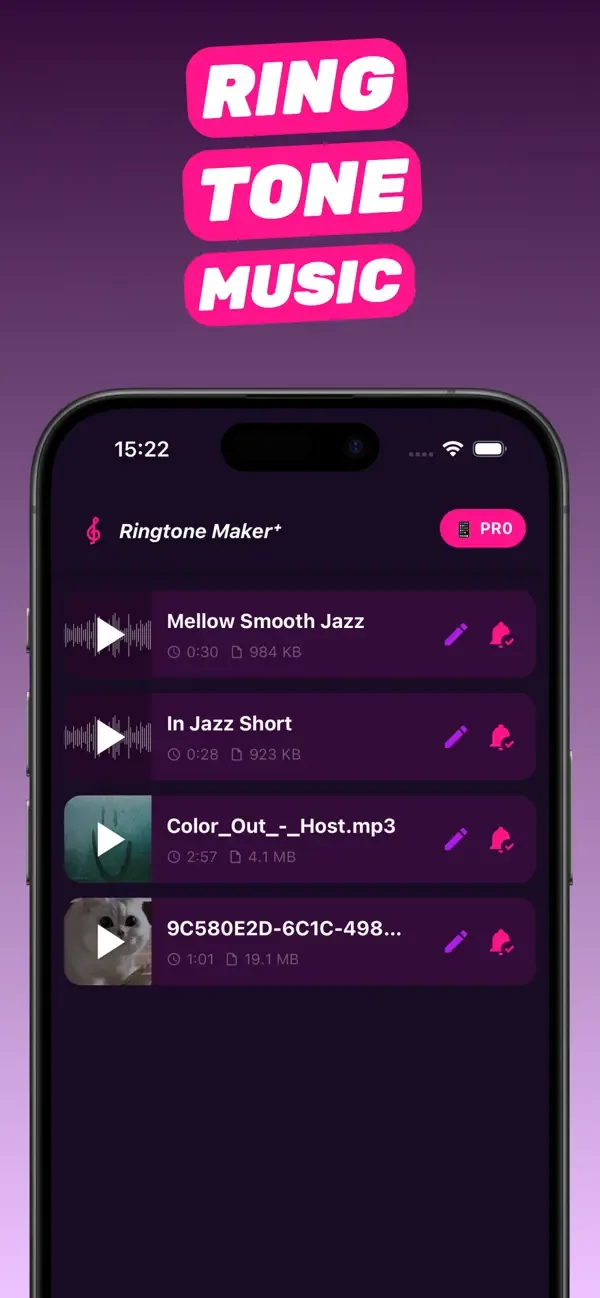
Open RingTon101 and pick the song
Tap the import button and choose Music to browse your on-device library, or Files if the MP3 is in iCloud Drive or Downloads. You can also long-press an audio file anywhere in iOS, tap Share and choose Ringtone Maker.
-
Find the best 30 seconds
The waveform shows the whole track. Drag the yellow handles around the hook or chorus — iOS ringtones can't be longer than 30 seconds, and the trimmer won't let you exceed it. Tap play to preview; nudge the start so the tone begins on a beat.
-
Boost the volume (optional)
If the track is quiet, slide Boost Volume up. Most songs are fine at 1–2×; old recordings and phone videos may need more. Add a short fade-out so the tone doesn't cut off abruptly.
-
Tap Ringtone → Download
Choose the Ringtone format and tap Download. RingTon101 renders the clip in the AAC/M4R format iPhone needs and opens it in GarageBand.
-
Export from GarageBand
In GarageBand tap Share → Ringtone, give it a name and tap Export. When asked Use sound as, pick Standard Ringtone (or Text Tone, or Assign to contact).
-
Check Settings
Go to Settings → Sounds & Haptics → Ringtone. Your song is at the top of the list, above Apple's built-in tones. Tap it and you're done.
Why only 30 seconds — and how to make it feel longer
iOS enforces a hard 30-second limit on ringtones (text tones are meant to be a few seconds). A call rarely rings longer than 25 seconds anyway, so the trick is choosing the right 30 seconds rather than fighting the limit.
- Start 1–2 seconds before the chorus so the first ring isn't silence.
- Use a short fade-in (0.5 s) if the song starts mid-note.
- For alarms, the 30-second clip loops automatically — pick a section that loops cleanly.
Can I use an Apple Music or Spotify song?
No — and any app that claims otherwise is either downloading a different copy of the song or won't work. Apple Music, Spotify, YouTube Music and Amazon Music tracks are encrypted (DRM). They cannot be trimmed or converted, even with an active subscription. Apple's own iOS 26 "Use as Ringtone" feature has the same restriction.
What works instead: buy the song on the iTunes Store (it becomes a DRM-free AAC file in your library), use an MP3 you already own, or use the audio from a video you have saved to Photos — see how to make a ringtone from a video.
Give one person their own ringtone
Custom ringtones are most useful when a specific person gets a specific song. Two ways to do it:
- At the GarageBand export step choose Use sound as → Assign to contact and pick the person.
- Or later: open Contacts → the person → Edit → Ringtone → pick your custom tone. The same screen has a Text Tone row for messages.
Troubleshooting
The song is greyed out when I import
It's a streamed (DRM) track or it's not downloaded to the phone. Download it first, or use a purchased/MP3 copy.
The tone doesn't appear in Settings
Make sure you finished the GarageBand Export step and that the clip was under 30 seconds. Tones over the limit are silently rejected.
My ringtone is too quiet
Re-open the project in RingTon101 and raise Boost Volume, then export again. Also check Settings → Sounds & Haptics → Ringtone and Alert Volume.
Questions people also ask
How long can an iPhone ringtone be?
Up to 30 seconds. Text and notification tones should be shorter — 2 to 10 seconds. RingTon101's trimmer stops you at the limit so the export never fails.
Do I need iTunes to make a song my ringtone?
No. Everything happens on the iPhone: importing, trimming, exporting through GarageBand and choosing the tone in Settings.
Is it free to make a song my ringtone?
Yes. RingTon101 is free to download and use; optional one-time purchases add unlimited exports and extra features. GarageBand is free from Apple.
Can I make a ringtone from a song in Apple Music?
Not from a streamed track — it's DRM-protected. Buy the song on iTunes, or use an MP3 you own or the audio from a saved video.
Will the ringtone survive an iOS update?
Yes. Custom tones installed through GarageBand are stored on the device like any other ringtone and remain after updates. Keep the project in RingTon101 in case you ever restore from a backup that predates it.
Do it on your iPhone now
RingTon101 is free on the App Store. Import, trim, boost and set your tone in about a minute — no computer needed.
 Scan with your iPhone camera
- Free download
- Made for iPhone
- iOS 18.6+
- No account required